submitting to search engines
To learn more or sign up for TrafficBuilder, do the following:
Here's a visual demonstration of how to add meta tags and page titles in SiteBuilder as well as how to submit your site to search engines for free.
adding meta tags & page titles
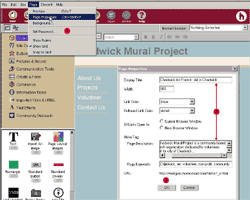
To add meta tags and page titles to your Web site follow these steps:
submitting to search engines, cont.
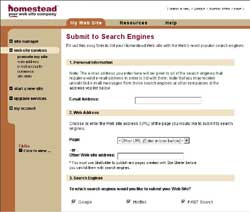
Here you see the 'Sumit to Search Engines' page.
From SiteBuilder, go to the 'Page' menu and select 'Page Properties.'
In the designated fields, enter the desired meta tags and page title.
Click 'Ok' to save your changes.
Publish your pages.
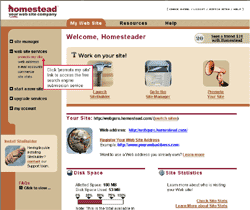
Click the 'Website Services' link.
Click the 'Promote My Site' link under the Web site services.